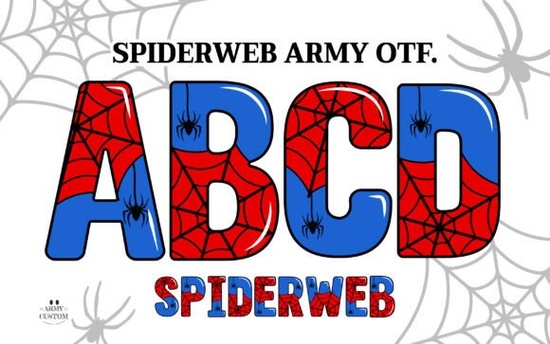
If you're working on a Halloween-themed design, a spooky invitation, or even a bold merch line with gothic flair, the Spiderweb Army Font offers a striking visual twist that’s hard to ignore. Unlike standard fonts, this one comes in two distinct versions: a full-color OpenType SVG font and a solid black version each serving different creative needs depending on your software and project goals.
The color version of Spiderweb Army Font truly stands out thanks to its intricate web-like details and layered textures baked right into each letter. It’s designed for programs that support OpenType SVG color fonts, such as Adobe Photoshop CC 2017 and newer, or Illustrator CC 2018+. If you’re creating digital art, social media graphics, or printable posters in these apps, you’ll see the font render exactly as shown with depth, dimension, and that eerie, handcrafted vibe.
What if my software doesn’t support color fonts?
Not all design platforms can handle color fonts and that includes popular tools like Cricut Design Space, Canva, or older versions of Silhouette Studio. That’s where the included bonus PNG files come in handy. Each character is provided as a transparent-background PNG, so you can drag and drop individual letters into almost any app. This gives crafters and small business owners flexibility without needing advanced software.
For those using cutting machines like Cricut or Silhouette, the solid black version of the font is your best bet. It’s a standard vector-based OTF file that works seamlessly in Cricut Design Space and similar platforms. You can easily slice, weld, or layer it with other elements for T-shirts, tote bags, vinyl decals, or party decor.
Who is this font really for?
This isn’t just a novelty typeface it’s a practical tool for specific creative scenarios:
- Print-on-demand sellers looking for eye-catching typography for seasonal mugs, hoodies, or stickers.
- Papercrafters and card makers who want dimensional lettering without manual illustration.
- Small event businesses designing haunted house flyers, witchy wedding invites, or themed party signage.
- Digital artists adding texture-rich headlines to illustrations or album covers.
Because of its detailed linework, Spiderweb Army Font works best at larger sizes. Tiny text may lose clarity, especially in the color version. But when used thoughtfully as headlines, logos, or featured quotes it adds instant atmosphere without extra effort.
How to use it without frustration
Before downloading, double-check your software compatibility. If you primarily work in Cricut Design Space, stick with the black version for smooth cutting. If you’re in Photoshop or Illustrator, experiment with the color OTF but remember, you won’t be able to edit individual colors within the letters; they’re fixed as part of the glyph.
Pro tip: Use the PNG files for mockups or quick social posts. Since they’re raster images, avoid scaling them too large to prevent pixelation. For scalable results in non-color-font apps, trace the PNGs in vector software or rely on the black OTF alternative.
You can explore more about how this font performs in real projects over on our dedicated page for colorful spiderweb-style fonts, where users share tips on layering, spacing, and pairing it with complementary graphics.
A few things to keep in mind
While the aesthetic is undeniably unique, Spiderweb Army Font isn’t meant for body text or minimalist designs. Its strength lies in mood and impact not readability at small sizes. Pair it with clean, simple sans-serif fonts for contrast (think Helvetica, Montserrat, or even a basic Arial) to let the decorative style shine without overwhelming your layout.
Also, because it’s a single-style font (no italics, bold variants, or extended character sets), plan your messaging accordingly. It’s ideal for short phrases: “Beware,” “Midnight Gathering,” “Witch’s Brew,” or shop names like “Black Moon Apothecary.”
Before you hit “buy,” ask yourself: Do I need texture-rich, thematic lettering for a specific seasonal or niche project? If yes and you’ve confirmed your software can handle either the color OTF or the black vector version this font could save you hours of manual detailing.
Quick checklist before using Spiderweb Army Font
- ✅ Confirm your design software supports OpenType SVG (for color version) or standard OTF (for black version).
- ✅ Use large point sizes (36pt+) to preserve detail.
- ✅ Pair with simple, neutral fonts for balance.
- ✅ For Cricut/Silhouette users: use only the black OTF file, not the color version.
- ✅ Save time by using PNGs for quick digital layouts in unsupported apps.
If you’re ready to add a touch of gothic elegance or playful spookiness to your next creation, the Spiderweb Army Font delivers both personality and practicality, as long as you match it to the right tools and use case.
Get Started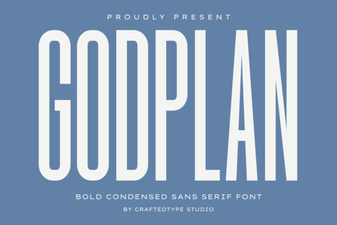 Godplan Font for Modern Website Design
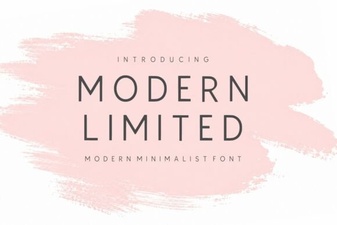 Fresh Typography: Modern Limited Font Design Ideas
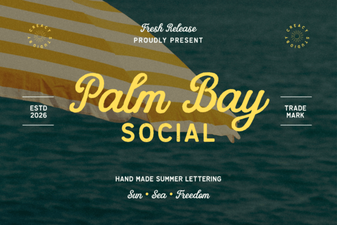 The Palm Bay Font: Creative & Casual Social Branding
 Cormorant Garamond for Creative Projects
 Craft with Creative Handwritten Font Bundles
 Powerful Projects Using Chunky Fonts