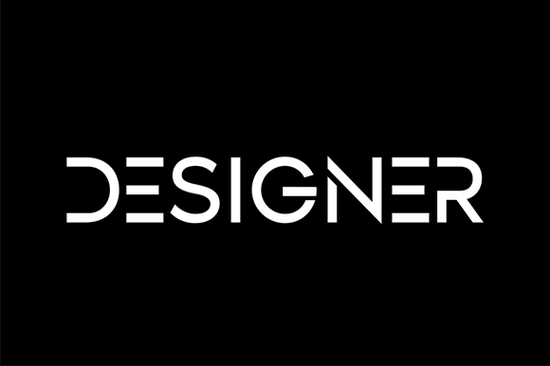
If you're looking for a display font that balances simplicity with personality, Designer is worth a closer look. It’s a clean, casual typeface that avoids unnecessary flourishes while still feeling intentional and stylish. Whether you’re creating social media graphics, branding materials, or printable quotes, this font adapts well without losing its charm.
What makes Designer stand out is its neat letterforms and consistent spacing. Unlike overly decorative display fonts that can overwhelm a layout, Designer offers just enough character to feel distinctive without sacrificing readability. That balance makes it surprisingly versatile for both formal projects (like event invitations or business cards) and relaxed designs (think greeting cards or casual apparel).
When should you use the Designer font?
Display fonts like Designer work best when used for headlines, logos, short phrases, or any text meant to grab attention at a glance. Because of its clean structure, it pairs well with minimalist aesthetics but also holds its own in busier compositions. Here are a few ideal uses:
- Print-on-demand products: T-shirts, mugs, and tote bags benefit from fonts that read clearly from a distance and Designer delivers.
- Social media visuals: Quotes, announcements, or promotional banners feel fresh without appearing cluttered.
- Small business branding: From shop signs to packaging labels, this font adds a friendly yet professional touch.
- Craft projects: Vinyl cutting, embroidery digitizing, or hand-lettering templates all work smoothly with its straightforward shapes.
If you’ve liked other approachable display fonts such as College Black or Sports Varsity, you’ll likely appreciate Designer’s understated confidence. It doesn’t shout but it definitely gets noticed.
How does it compare to other casual display fonts?
Not all casual fonts are created equal. Some lean too playful (Retro Kids comes to mind), while others feel stiff despite their informal intent. Designer strikes a middle ground: relaxed but not sloppy, modern but not cold.
For example, if you’ve used Welcome Christmas for seasonal projects, you know how mood-specific some fonts can be. Designer, by contrast, isn’t tied to a theme it’s neutral enough for year-round use. And unlike bubbly options like Strong Bubble, it maintains elegance even at large sizes.
This neutrality is actually a strength. It means you can build a mini-brand identity around it without worrying about dated trends or niche associations.
Tips for pairing and styling
Because Designer has a clean baseline and open counters, it pairs beautifully with simple sans-serifs for body text. Try combining it with fonts like Helvetica, Montserrat, or even system defaults like Arial for contrast without clash.
A few practical styling ideas:
- Keep color minimal. Black, navy, or deep charcoal lets the form shine. Avoid neon or overly saturated hues unless your project calls for bold contrast.
- Use generous spacing. Slight letter-spacing (tracking) enhances its airy feel especially in headlines.
- Avoid all caps for long phrases. While it looks sharp in title case or sentence case, extended uppercase blocks can feel heavy.
- Test print legibility. If you’re using it for physical products, print a sample at actual size to confirm clarity.
Remember: even the best font won’t fix poor hierarchy or cluttered layouts. Use Designer as a focal point not background noise.
Who is this font really for?
Designer suits creators who value efficiency and consistency. If you run a small Etsy shop selling printable wall art, manage social content for a local café, or design merch for a community event, this font reduces decision fatigue. You get a reliable, attractive option without hunting through dozens of overly stylized alternatives.
It’s also beginner-friendly. New designers often struggle with fonts that look great in previews but fall apart in real-world use. Designer avoids that trap it behaves predictably across software (from Canva to Adobe Illustrator) and scales cleanly from web banners to vinyl cutters.
Before you download, ask yourself: do I need a font that’s expressive but not distracting? If yes, Designer fits the bill.
Next steps
If you’re ready to try it:
- Download Designer from Creative Fabrica (check licensing for commercial use).
- Pair it with a neutral sans-serif for body text.
- Test it in your most common project format whether that’s Instagram posts, PDF printables, or SVG files.
- Save a style guide note: “Use for headlines only; max two lines per block.”
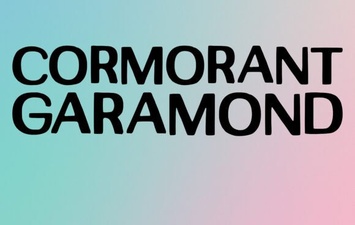 Cormorant Garamond for Creative Projects
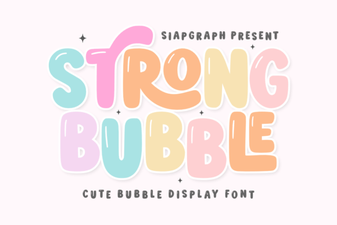 Craft Bold Text with Bubble Font Designs
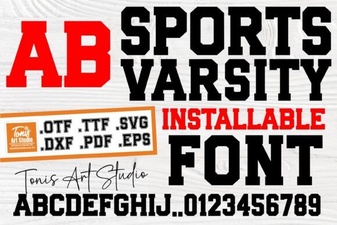 Sports Fonts for Your Championship Designs
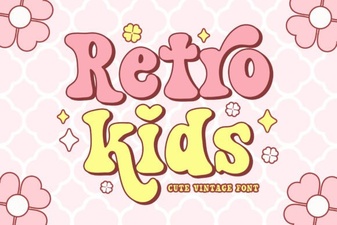 Craft Cool Designs with Retro Kids Fonts
 Creative Typography with Grinched 2.0 Font
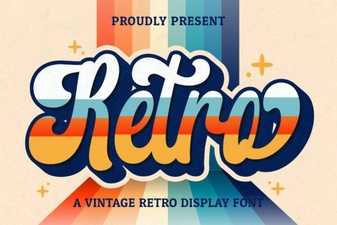 Vintage Script Fonts for Creative Projects